
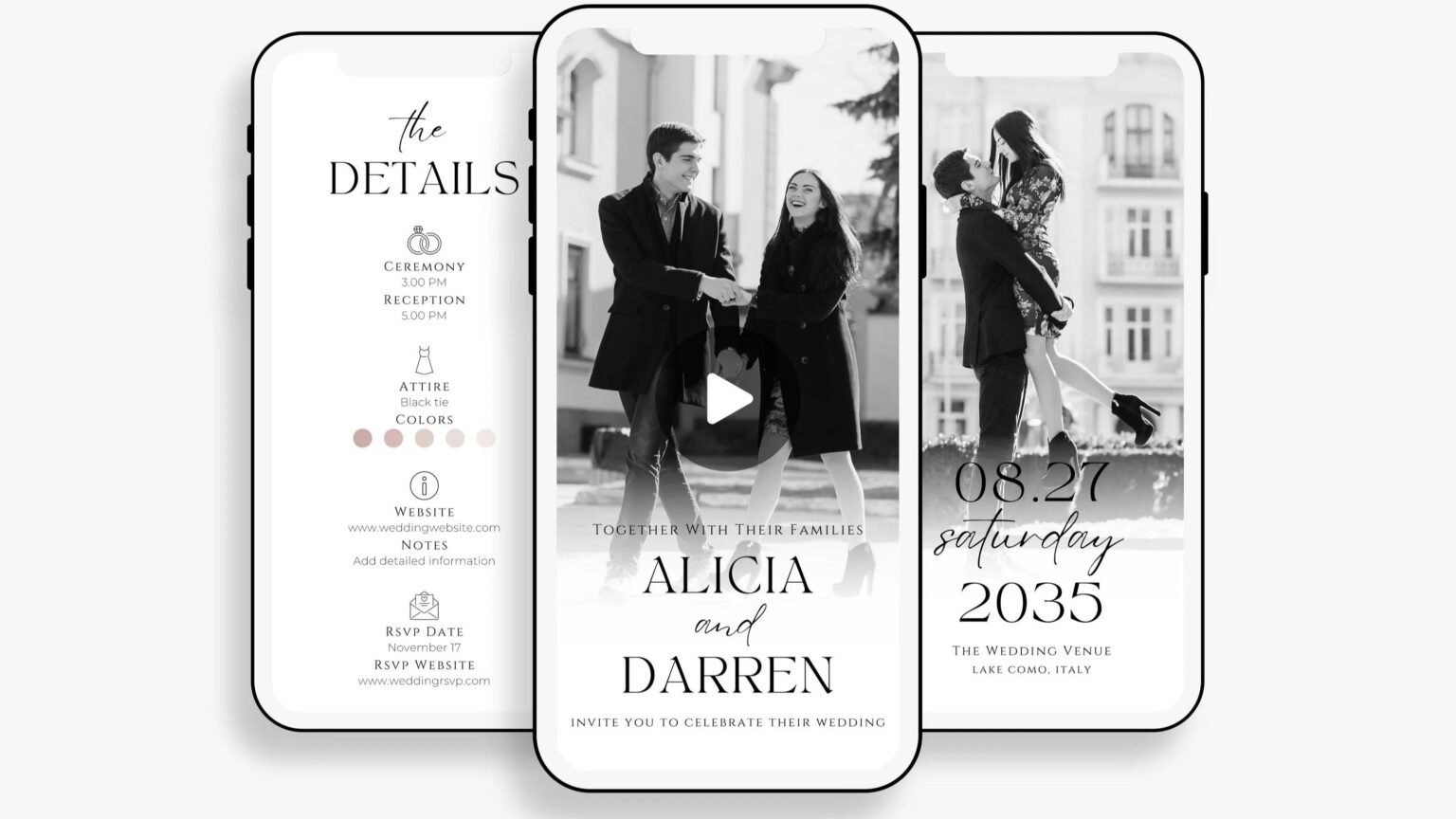
TLDR
For most invitations, the best digital invitation pixel size depends on where the file will be viewed. A 5 x 7 proportion is still the safest starting point for many wedding invitations, birthdays, and other events because it gives you enough room for names, date, time, venue, and RSVP details without making the layout feel cramped.
If the invitation is only for screen use, a file like 1080 x 1512 or 1200 x 1680 usually works well. If you may also print the design later, start larger so you have the right dimensions for both digital sharing and print production.
Digital invitation pixel size is really about use, not just numbers
The phrase digital invitation pixel size sounds more technical than it needs to be. What most people are really asking is this: what size should I make my invite so it looks clear, polished, and easy to read on a phone, desktop, or social post?
That answer depends on the event, the delivery method, and whether the design might later be printed. A birthday party invite sent by text does not need the same setup as formal wedding invitations, and an Instagram Story graphic does not use the same shape as a standard size invitation meant for email or print.
This is where invitation sizes matter. The right size helps you create a design that feels balanced, leaves enough room for important details, and avoids that awkward problem where the text looks tiny or the images feel blurry. The wrong size can make even a strong design feel off.
The simplest answer for most invitations
For many invitations, especially wedding invitations and more formal celebrations, the most useful starting point is a 5 x 7 proportion.
That does not mean every digital file needs to be labeled in inches. But it does mean that standard invitation sizes still shape how people design invitations for screens. A 5 x 7 layout simply gives you enough room for names, date, venue, RSVP information, contact details, and a short message without crowding the page.
A few practical starting points:
- 1080 x 1512 works well for many digital invitations sent by text or email
- 1200 x 1680 gives you a little more flexibility while keeping the same shape
- 1500 x 2100 is a safer choice if you may print the file later
- 1080 x 1920 is better for full-screen Story or Reel use
- 1080 x 1080 works for square invitations, especially casual parties and birthdays
If you want the short version, use 1080 x 1512 for screen-only invitations and 1500 x 2100 if you want a file that is safer for both digital and print.
Why standard invitation sizes still matter
A lot of digital design tools, templates, and invitation workflows still borrow from standard invitation sizes. That is not just tradition. It is because those sizes work.
The most common invitation sizes are common for a reason. They give you enough room for the details people actually need. A standard size like 5 x 7 is popular because it suits wedding invitations, rehearsal dinner cards, shower invites, and many other event formats. A smaller standard size like 4 x 6 can work nicely for birthdays, casual parties, and simpler occasions.
When people struggle with invitation sizes, the issue usually is not creativity. It is space. They try to fit too much into a compact design, or they start with a size that does not match the delivery method. Then the names are too small, the line breaks feel strange, and the artwork gets cropped in the wrong place.
That is why right dimensions matter. Good invitation sizes support the design instead of fighting it.
Best invitation sizes by delivery method
The delivery method should shape your decision more than anything else.
Email or text message invitations
If you plan to send invitations by text or email, a portrait file with a 5 x 7 feel is usually the easiest answer. It looks natural on most phone screens, still works on desktop, and keeps the design close to the proportions people already associate with invitations.
Good options include:
- 1080 x 1512
- 1200 x 1680
These sizes work well for birthdays, engagement parties, brunches, showers, save the dates, and many wedding invitations.
Social post invitations
If you plan to create invitations mainly for Instagram feed posts, the best shape may not be a formal invitation shape at all. Social platforms commonly favor a slightly taller post, such as 1080 x 1350. That format uses more of the screen and often makes the design feel larger in the feed.
You can still use one of the more standard invitation sizes, but if social is the main delivery method, it often helps to customize a second version rather than forcing one file to do everything.
Stories and Reels
For Story or Reel use, 1080 x 1920 is the standard. This is full-screen vertical and works well for event graphics, menu reveals, countdowns, and animated invite formats.
Just be careful with your layout. Leave extra space near the edges so text is not blocked by platform controls. The center area should hold the important details like the date, time, and RSVP prompt.
Files that may later print
If there is any chance you may print the invitation later, start bigger. This is one of the safest habits in invitation design. It gives you more flexibility, better resolution, and less risk of quality loss if you later upload the file for print production.
For a 5 x 7 card, 1500 x 2100 is a smart minimum. Starting larger also gives designers and print professionals more room to work with if you later customize the design, add a fold, or create matching paper pieces like details cards, signs, menus, or thank you cards.
Choosing the right size for your event
Different occasions need different things from a design.
Wedding invitations usually carry more information than birthdays or casual parties. You may need room for the host line, full names, ceremony details, reception details, dress code, RSVP instructions, and perhaps a website or insert note. That means wedding invitations often benefit from one of the more standard invitation sizes rather than a compact social-first format.
Birthdays, on the other hand, can often be more flexible. Some birthday invitations only need the event name, date, location, and RSVP. A square format or smaller standard size may suit them perfectly. That is especially true for kids birthdays, casual adult birthdays, and surprise parties where the tone is more playful and the message is shorter.
For exclusive events, launches, or more polished business celebrations, the design may be minimal but still needs room to breathe. A restrained layout can look elegant, but only if the invitation size leaves enough room for the typography and artwork to feel intentional.
How templates and tools affect your size choice
Many people now create invitations with templates rather than starting from scratch. That is usually a good thing. Templates save time, help you explore different layout options, and make it easier to personalize the design for your event and theme.
But templates can also cause problems if you choose them before thinking about size.
If you pick a template built for social media and later try to print it, you may run into trouble. If you choose a print-shaped file and then upload it to a Story format, you may lose part of the artwork or end up with awkward empty space. The size and the delivery method need to match.
Before you commit, ask:
- Where will guests view this invite first?
- Will I send it by text, email, social, or all three?
- Might I want to print this later?
- Does the design include a photo, artwork, or detailed images that need more room?
- Does the theme need a tall layout, a square shape, or a more standard proportion?
That small pause can save a lot of frustration.
Common mistakes to avoid
The most common mistake is starting too small. A file might look fine while you are editing it, then look soft once you upload or send it.
The second mistake is assuming one size fits every platform. It usually does not. A file for desktop viewing may not suit mobile. A print-friendly layout may not suit Stories. A feed post may not suit a text message.
The third mistake is crowding too much into one design. This happens a lot with wedding invitations and milestone birthdays. People want to include every detail on one card, but then there is no room for the design to breathe. If you do not have enough room, edit the content or create a second card instead of shrinking everything.
The fourth mistake is forgetting extra space around the edges. This matters for print, but it matters for screen design too. If text or artwork sits too close to the border, the whole invite can feel boxed in. A little extra space improves the appearance more than most people expect.
A practical rule for most people
If you are unsure, here is the easiest answer.
Use a 5 x 7 style file for most invitations. That means something around 1080 x 1512 for digital use, or 1500 x 2100 if you want a safer master file that can also move toward print.
That approach works for many wedding invitations, birthdays, parties, and announcements. It gives you enough room for the event details, suits many templates, and keeps the design close to one of the most common invitation sizes in both digital and print workflows.
From there, customize alternate versions only when needed. Make a Story version if you need one. Make a square social version if your platform calls for it. But keep one clean master design that uses the right dimensions from the beginning.
Final thoughts
The best digital invitation pixel size is not one magical number. It is the size that matches the way your invitations will actually be used.
For most events, standard invitation sizes still give you the best foundation because they create structure, leave enough room for important details, and make the design easier to read on screen. A thoughtful size choice also makes it easier to personalize the invitation, keep the tone consistent with your theme, and avoid common formatting problems later.
If the invitation is for wedding invitations, formal occasions, or anything that may later print, it makes sense to start larger. If it is only for birthdays, casual parties, or quick digital sharing, a smaller screen-friendly file may be all you need.
The real goal is simple. You want your guests to open the invite, understand the event immediately, and feel the right tone from the first glance. Good invitation sizes help make that happen.
FAQs
What is the best digital invitation pixel size for wedding invitations?
For many wedding invitations, 1080 x 1512 works well for digital sharing. If you may print the design later, 1500 x 2100 is a better starting point.
What are the most common invitation sizes?
Some of the most common invitation sizes are 5 x 7, 4 x 6, and square formats such as 5.25 x 5.25. The best choice depends on the event, the theme, and the delivery method.
Can I use one file for text, email, and social?
Sometimes, but not always. A 5 x 7 design can work for text and email, but social platforms often prefer different dimensions. It is often better to save a second version for Stories or feed posts.
Why does my invitation look blurry after I upload it?
That usually means the original size was too small, the file was compressed, or the platform reshaped the design. Starting with a larger file helps preserve quality.
Should I design in inches or pixels?
For digital invitations, pixels are usually easier because they match the screen. For print, inches still matter. In practice, the best answer is to understand both.